
Inspect Ktor’s network traffic on Android with Chucker

Android Engineer • Google Developer Expert
When you are working on an application interacting with a backend, you will surely need to know if all your requests are executed correctly, in case of an error, you will need to know the request as well as the server response in order to debug.
For that, you just have to connect your device to Android studio and see the logs. But the problem gets complicated when the application has been for example sent to members of another team for testing, and these people don’t have the necessary skills to debug the application.
Thanks to Chucker, you can inspect the network traffic of your application and display the necessary data without connecting the smartphone to your IDE.
Adding necessary dependencies
Before starting, we need to install all the necessary dependencies
// ktor
implementation("io.ktor:ktor-client-core:2.2.3")
implementation("io.ktor:ktor-client-content-negotiation:2.2.3")
implementation("io.ktor:ktor-client-okhttp:2.2.3")

// chucker
debugImplementation("com.github.chuckerteam.chucker:library:3.5.2")
releaseImplementation("com.github.chuckerteam.chucker:library-no-op:3.5.2")
Ktor has many other dependencies, you can have even more depending on your need, but as Chucker works only with Okhttp you have to use the Okhttp Engine, that’s why we have the ktor-client-okhttp dependency.
The data generated and stored when using Chucker may contain sensitive information such as Authorization or Cookie headers, and the contents of request and response bodies, it is intended for use during development, and not in release builds or other production deployments. On the other hand, you don’t want to comment the code you added to use Chucker before building the release variant.
Chucker has a “no-op” variant of the library that allows us to separate it from the release build.
Setting Up Chucker and Ktor
// Setting the interceptor
val chuckerInterceptor = ChuckerInterceptor.Builder(context)
    .collector(ChuckerCollector(context))
    .maxContentLength(250000L)
    .redactHeaders(emptySet())
    .alwaysReadResponseBody(false)
    .build()

// creating the Ktor HttpClienEngine
val okhttpEngine = OkHttp.create {
    addInterceptor(chuckerInterceptor)
}

// creating the Ktor Client
val httpClient = HttpClient(okhttpEngine) {
    expectSuccess = true
    install(ContentNegotiation) {
        json(Json {
            isLenient = true
            ignoreUnknownKeys = true
            prettyPrint = true
        })
    }
}
Chucker provides us with the ChuckerInterceptor that can be added as OkHttp interceptor persisting all those events inside your application, and providing a UI for inspecting and sharing their content.
And that’s all, our requests now get automatically monitored by Chucker.
// Making a request
suspend fun getRemoteData(): GiphyHttpResponse {
    return httpClient.get("https://api.myserver.com/data").body()
}
Apps using Chucker will display a notification showing a summary of ongoing HTTP activity. Tapping on the notification launches the full Chucker UI.
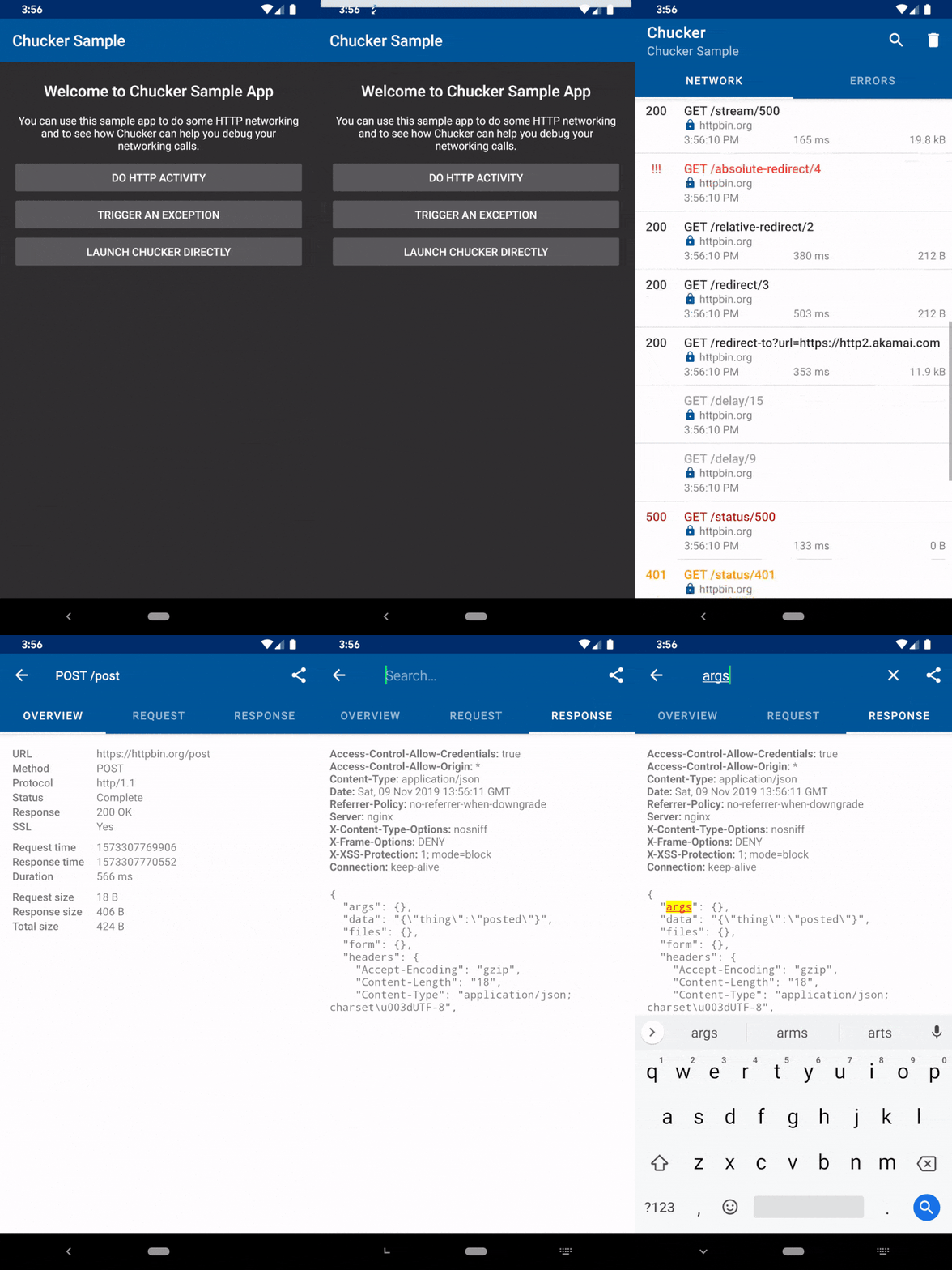
Apps can optionally suppress the notification, and launch the Chucker UI directly from within their own interface.
Handling Notification Permission
Starting with Android 13, your apps need to request the POST_NOTIFICATION permission to the user in order to show notifications. As Chucker also shows notifications to show network activity, you need to handle permission request depending on your app features. Without this permission, Chucker will track network activity, but there will be no notifications on devices with Android 13 and newer.
Conclusion
Chucker is very simple to use and very efficient in debugging when performing network calls with the OkHttp client. To go further, you can check the links below :


